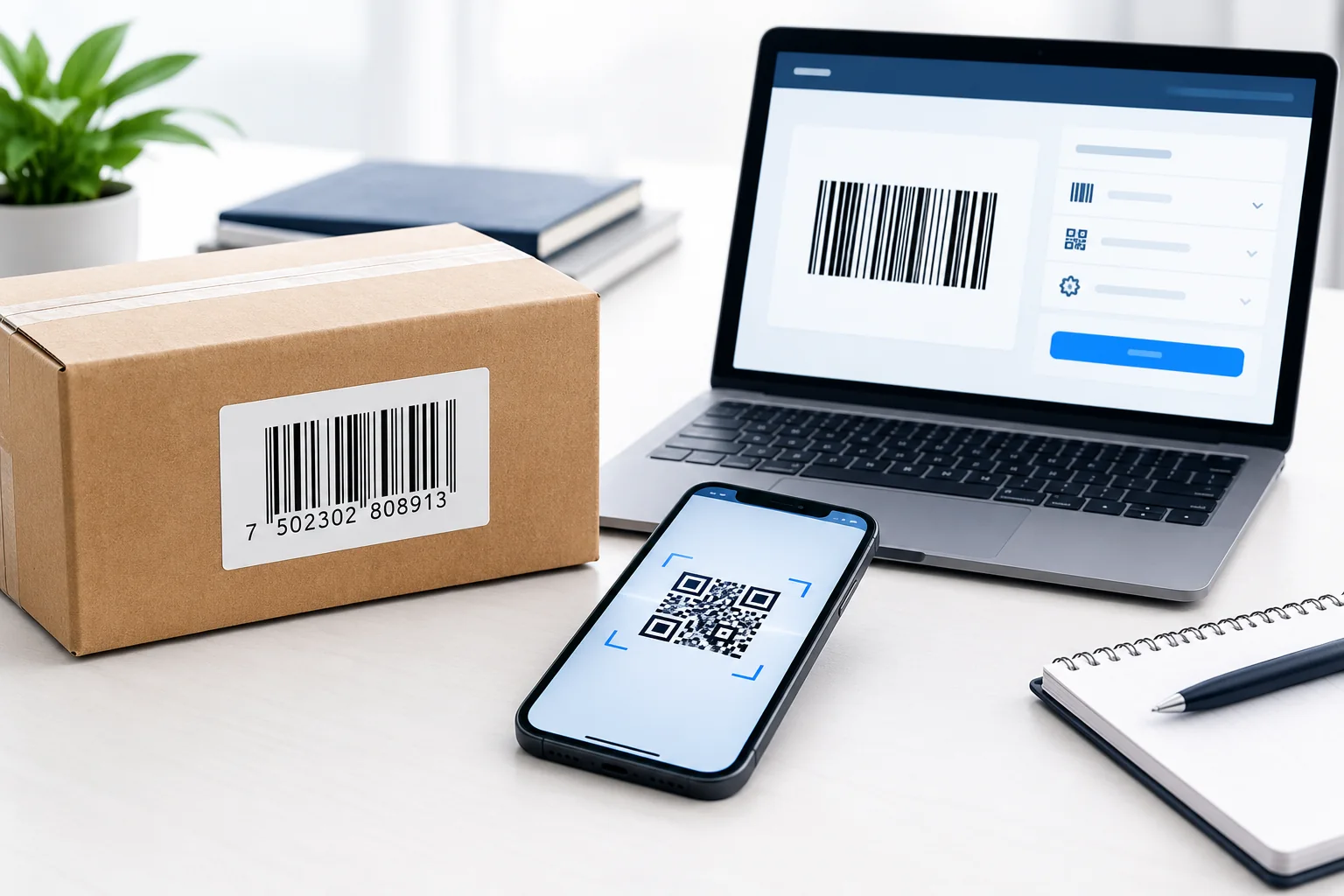
A barcode generator turns information such as a product identifier, inventory number, or tracking reference into a machine-readable barcode image. You can use one to create labels for stock management, organize products, prepare shipping materials, or add scannable information to business documents.
However, choosing the right barcode format matters. A Code 128 barcode that works for internal inventory may not meet the requirements for a retail product’s UPC or EAN barcode. Likewise, creating a barcode image does not automatically give a product a valid, unique retail identifier.
This guide explains how to choose a barcode type, generate a barcode, download the correct file, and check whether it scans reliably.
What Is a Barcode Generator?
A barcode generator is a software tool that converts text, numbers, or other supported data into a barcode image. A compatible scanner or camera can then read the encoded information.
Depending on the generator, you may be able to select a barcode format, customize its dimensions, display the encoded text, and export the result as a PNG, JPEG, SVG, or PDF file.
Businesses commonly use barcode generators for:
- Inventory management: Identify stock items, shelves, bins, and internal assets.
- Product labeling: Prepare barcode artwork for product packaging.
- Shipping and logistics: Label cartons, parcels, and warehouse shipments.
- Retail operations: Produce barcode artwork from appropriately assigned product identifiers.
- Document management: Label files, equipment, records, or membership cards.
- Digital access: Create QR codes that link to websites, forms, or other digital information.
The essential distinction is that a generator creates the barcode representation. It does not necessarily assign a unique identifier, validate the data against an industry standard, or guarantee that a retailer will accept the result.
How to Generate a Barcode Online
Follow these steps to create a barcode for your intended use.
Step 1: Choose the correct barcode type
Start by deciding what you need to identify and which system will scan the barcode.
For example, Code 128 is often suitable for internal inventory labels, UPC-A and EAN-13 are common retail product formats, and QR Code works well for links and other data that people can access with a smartphone.
If a retailer, marketplace, shipping provider, or warehouse system specifies a format, follow its requirements rather than choosing a format at random.
Step 2: Enter the information
Type the text or number you want to encode. Depending on the format, the input might be a stock-keeping unit (SKU), asset number, product identifier, serial number, or URL.
Check the input carefully before generating the barcode. Some formats accept letters and numbers, while others impose specific character lengths or data rules.
For a retail product, use the identifier assigned through the appropriate system. Do not invent a UPC or EAN number simply because a generator accepts it.
Step 3: Generate the barcode
Select the generator’s create or generate option. Review the preview and confirm that the selected format matches your intended application.
If the tool offers customization, adjust the dimensions only within the relevant format’s requirements. Keep the bars or modules clear, preserve the required blank space around the barcode, and avoid decorative effects that interfere with scanning.
Step 4: Download the barcode image
Choose an output format that fits your workflow.
- PNG: Useful for many everyday digital documents and label designs.
- SVG: Useful for scalable artwork when supported by the generator and accepted by the production workflow.
- PDF: Convenient for print-ready documents when the generator provides a properly prepared file.
- JPEG: May work for some digital uses, but compression artifacts can make barcode edges less clear.
A vector file is not automatically compliant, and a high-resolution image is not automatically scannable. Correct encoding, dimensions, contrast, placement, and print quality all matter.
Step 5: Test the barcode before using it
Scan the downloaded image or a physical test print with the intended scanner or compatible reader. Confirm that the result matches the original input.
For retail, shipping, healthcare, or other regulated or standards-based applications, a successful phone scan alone may not establish compliance. Follow the relevant technical specifications and verification requirements before producing labels at scale.
Which Barcode Type Should You Choose?
The best barcode format depends on the data you need to encode and the environment in which the code will be scanned.
| Barcode type | Typical use | Important consideration |
|---|---|---|
| UPC-A | Retail products, particularly in North America | Uses a 12-digit GTIN-12 in standard retail applications |
| EAN-13 | Retail products in many international markets | Uses a 13-digit GTIN-13 in standard retail applications |
| Code 128 | Internal inventory, logistics, and asset labels | Supports letters and numbers within its encoding rules |
| Code 39 | Asset tracking and industrial applications | Check the character set and data-length requirements |
| ITF-14 | Outer cartons and trade-item packaging | Follow the relevant packaging and distribution specifications |
| GS1-128 | Supply-chain and logistics applications | Uses GS1 application identifiers and applicable GS1 rules |
| QR Code | Website links, contact details, and other digital information | Can encode different kinds of data, not just product identifiers |
| Data Matrix | Compact identification, manufacturing, and healthcare applications | Use the version and standards required by the application |
These formats are not interchangeable. For example, a QR Code can link to a product page, while an EAN-13 barcode can represent a retail product identifier. Each serves a different purpose.
The GS1 barcode standards provide authoritative guidance on the barcode families used in retail, logistics, and other industries. Review the GS1 barcode standards when selecting a format for a standards-based application.
Barcode vs. QR Code: What Is the Difference?
A barcode is a broad category of machine-readable data carriers. Traditional one-dimensional barcodes encode data using patterns of bars and spaces. Two-dimensional barcodes, including QR Codes and Data Matrix, encode information in patterns arranged across two dimensions.
The practical differences are straightforward:
- Traditional linear barcodes are common for product identification, inventory, and retail scanning.
- QR Codes can encode URLs and other information that smartphones can read.
- Data Matrix codes are useful in applications that require compact symbols and specific traceability or identification workflows.
A QR Code is a type of two-dimensional barcode, not a completely separate technology category.
It is also important to distinguish an ordinary QR Code from a QR Code using GS1 Digital Link. A GS1 Digital Link implementation follows specific identification and data-structure rules; adding a product number to a regular QR Code does not, by itself, make the code GS1-compliant.
For more information, consult GS1’s barcode overview.
Do You Need a Real UPC or EAN Number?
Yes, if you need a valid retail product identifier for a use case that requires a GS1 GTIN. Generating an image and obtaining a legitimate product identifier are two different tasks.
A GTIN (Global Trade Item Number) identifies a trade item. Common formats include:
- GTIN-12: Commonly represented by a UPC-A barcode.
- GTIN-13: Commonly represented by an EAN-13 barcode.
- GTIN-14: Used for certain trade-item groupings and packaging applications.
- GTIN-8: Used for eligible smaller products.
The appropriate identifier and barcode format depend on the product and application. Do not assume that every product needs a different barcode symbology or that every use case requires a retail GTIN.
GS1 explains that its system provides globally unique, verifiable product identifiers and the standards used to represent them. If you need a retail product identifier, start with the official GS1 barcode service and check the requirements of your retailer or marketplace.
A freely generated number may produce a barcode image that a scanner can read. That does not mean the number is uniquely assigned to your business or accepted for retail use.
How to Make Sure Your Barcode Scans Correctly
A barcode can look perfect on a screen but fail after printing. Use this checklist before applying it to products or distributing labels.
Use the correct data and format
Verify that the encoded information matches your intended identifier. Confirm the barcode type, character set, and any required length or checksum rules.
For retail identifiers, use the correct assigned GTIN and follow the relevant GS1 specifications.
Maintain sufficient contrast
Dark bars on a light background are a dependable starting point. Avoid low-contrast color combinations, reflective surfaces, and backgrounds that obscure the barcode.
If you customize colors, confirm that the intended scanners can read the result under actual operating conditions.
Preserve the required quiet zone
The quiet zone is the clear area around a barcode that helps a scanner identify its boundaries. Do not place text, borders, graphics, or another barcode too close to the symbol.
The required dimensions depend on the barcode format and application.
Print at the appropriate size
Do not shrink a barcode until its narrow bars or modules become difficult to reproduce. Retail barcodes have defined size requirements, and other applications may impose their own specifications.
Use the relevant standard to determine acceptable dimensions instead of relying on a universal minimum size.
Avoid image distortion
Maintain the barcode’s proportions. Stretching, skewing, excessive compression, or poor-quality printing can make the encoded pattern harder to read.
For print production, inspect the final printed label rather than checking only the file displayed on your computer.
Test the real-world result
Scan a sample using the equipment that will actually be used in the intended environment. If the barcode is for a retail or standards-based application, arrange appropriate verification when required.
For technical guidance, consult GS1’s barcode implementation steps.
PNG vs. SVG: Which Barcode File Format Is Better?
Choose the format based on how the barcode will be used.
PNG is a practical choice for everyday digital use. It can be inserted into many documents and label layouts without specialized vector software. However, its quality depends on the generated pixel dimensions and the way the image is resized or printed.
SVG is useful for scalable artwork. Because it is a vector format, it can be resized without the same pixelation associated with enlarging a raster image. It is often useful for packaging and professional design workflows when the output is supported by the printer or design application.
PDF can be convenient for print workflows. However, the PDF must preserve the barcode’s intended dimensions and image quality. Merely exporting an image to PDF does not make it print-ready.
Whichever format you select, verify the actual output and test a printed sample before using the barcode commercially.
Common Barcode Generator Problems and Solutions
The barcode will not scan
Check the encoded data, selected format, contrast, print quality, symbol dimensions, and quiet zone. Test the final physical label with the intended scanning equipment.
The generator rejects my number
The input may not match the selected format’s character or length rules. Review the required format and any checksum requirements, then correct the data rather than forcing it into an incompatible barcode type.
My barcode scans but the retailer rejects it
A scanner reading the image does not establish that the product identifier is valid or authorized for that retail use. Confirm that the identifier is correctly assigned, the barcode meets the retailer’s specifications, and the product data is consistent.
The barcode looks blurry after printing
The source image may be too small, the image may have been resized incorrectly, or the printer may not reproduce the narrow elements clearly. Try a suitable source file, preserve the required dimensions, and test the print settings.
My barcode generator supports the format, but my system cannot read it
The reader may not support the selected symbology or configuration. Check the scanner’s supported formats, data settings, and application requirements before changing the barcode.
Is a Free Barcode Generator Safe to Use?
A free barcode generator can be convenient for routine tasks, but check how it processes your data before entering sensitive information.
Consider these precautions:
- Review whether the tool uploads your data to a remote server or processes it locally.
- Read the provider’s privacy policy and terms of use.
- Avoid submitting confidential identifiers or business data to an untrusted service.
- Check whether commercial use, bulk generation, or particular export formats require a paid plan.
- Keep a record of the source and assignment of official product identifiers.
For ordinary internal labels, a simple generator may be sufficient. For product launches, regulated industries, or high-volume logistics, use a workflow that meets your organization’s security, data, and technical requirements.
Frequently Asked Questions
How do I generate a barcode for free?
Choose a barcode generator that supports your required format, enter the data, generate the barcode, and download the result. Check the tool’s current terms and test the output before printing or using it commercially.
Can I create a barcode from any number?
Not with every format. Barcode types have different character, length, and data rules. A number that fits one format may be invalid for another. Retail identifiers also require appropriate assignment when a valid GTIN is needed.
Can I generate a barcode for my own product?
You can create the barcode image, but first determine whether your retailer or marketplace requires an officially assigned product identifier. If it requires a GS1 GTIN, obtain the appropriate identifier through GS1 and generate the barcode according to the applicable specifications.
Is a barcode generator the same as a QR code generator?
Not necessarily. Some tools support both traditional linear barcodes and two-dimensional codes, while others specialize in one type. A QR Code generator creates QR Codes specifically; a broader barcode generator may support multiple symbologies.
Which barcode is best for inventory management?
Code 128 is a common option for internal inventory labels because it supports alphanumeric data. However, the best choice depends on your inventory software, scanner capabilities, label size, and operational requirements.
Can I download a barcode as PNG or SVG?
That depends on the tool. PNG is widely supported for digital use, while SVG is useful when scalable vector artwork is needed. Check the generator’s export options and verify the resulting file before production.
Will a generated barcode work with every scanner?
No. Compatibility depends on the barcode format, scanner capabilities, encoded data, symbol quality, and operating conditions. Test the barcode with the actual equipment and application before deployment.
Does generating a barcode make it officially registered?
No. A generator can convert data into a machine-readable image, but it does not automatically assign or register a unique product identifier. For GS1-based retail identification, use the appropriate GS1 process.
Final Thoughts
A barcode generator can simplify inventory labeling, product artwork, shipping preparation, and everyday identification tasks. The key is to choose a format that fits the intended application, enter valid data, download an appropriate file, and test the finished barcode.
For internal labels, a straightforward generator may be all you need. For retail products, supply-chain labels, or other standards-based applications, verify identifier assignment and technical requirements before relying on the result.
The best barcode is not simply one that looks correct. It is one that encodes the right data, meets the requirements of its application, and scans reliably in real-world use.