Scam & Cyber Investigation Using OSINT: A Complete Beginner- Guide
Online scams are growing every single day. Fake job offers, romance scams, crypto fraud, phishing links — they all hide behind screens and stolen identities. But here’s the good news: you don’t need to be a police officer or a hacker to investigate them.
You just need something called OSINT — Open Source Intelligence.
In this guide, we’ll break down exactly what OSINT is, how real investigators use it to catch scammers, and how you can start using the same simple tricks — even if you’ve never done any kind of investigation before.
What Is OSINT? (In Plain Words)
OSINT stands for Open Source Intelligence. That’s just a fancy way of saying: information that’s already public, and you’re simply collecting and connecting it.
Think of it like this — if someone gives you a fake name on social media, but reuses the same profile picture on three other sites, that’s a clue. If you google that picture and find their real Facebook page, congratulations: you just did OSINT.
No hacking. No breaking laws. Just smart searching.
Sources OSINT investigators use every day:
- Social media profiles (Facebook, Instagram, LinkedIn, X)
- Public records (business registrations, court filings, domain records)
- Search engines and reverse image search
- News articles and forums
- Leaked data databases (checked legally, for breach awareness only)
- Maps, satellite images, and geolocation tools
Why OSINT Matters in Scam and Cyber Investigations
Scammers rely on one thing: staying anonymous. They hide behind fake names, burner numbers, and stolen photos.
OSINT breaks that anonymity by connecting small, public dots into one clear picture. Investigators, journalists, fraud analysts, and even everyday victims use it to answer questions like:
- Who really owns this website?
- Is this “company” even real?
- Has this phone number been reported before?
- Where is this person actually messaging from?
- Is this the same scammer running multiple fake accounts?
Common Types of Scams OSINT Can Help Investigate
1. Romance Scams
Someone builds a fake relationship online, then asks for money. OSINT can reveal if their photos are stolen from another real person, and if the same story has been used before.
2. Fake Job Offers
Scammers post “remote jobs” to steal personal information or an upfront “training fee.” A quick domain and company records check often shows the business doesn’t exist.
3. Crypto and Investment Fraud
Fake trading platforms promise huge returns. OSINT can trace the website’s registration date, hosting location, and whether it’s linked to other reported scam domains.
4. Phishing and Fake Websites
These copy real brands to steal login details. Investigators compare domain age, spelling tricks, and hosting patterns to prove it’s fake.
5. Impersonation Scams
Someone pretends to be a real person, company, or government office. Reverse image search and cross-platform username checks usually expose this fast.
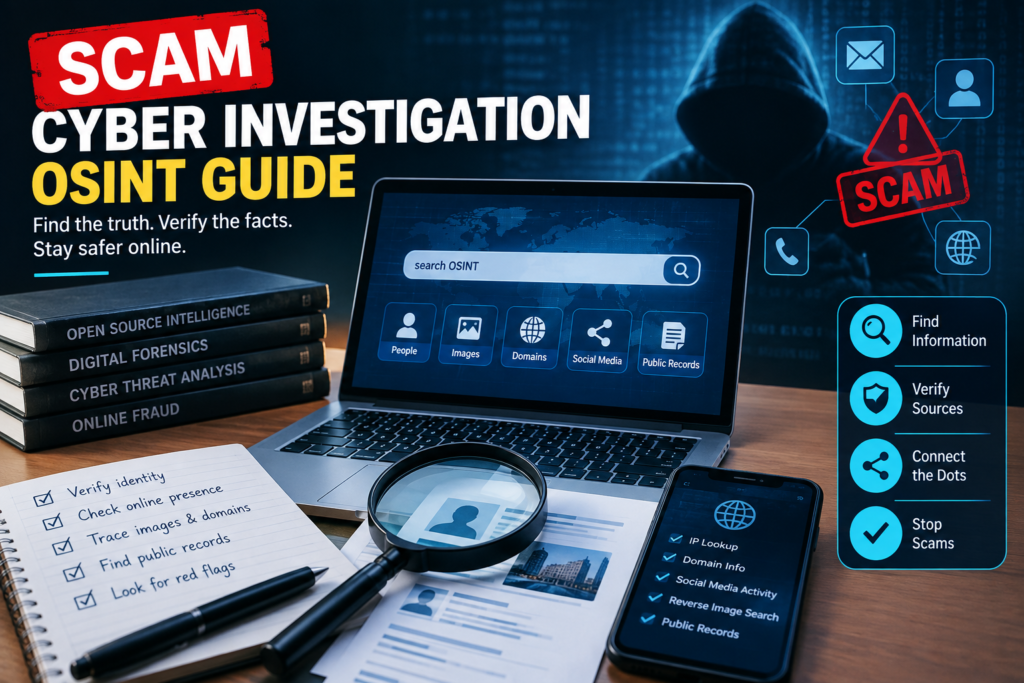
Step-by-Step: How a Basic OSINT Investigation Works
You don’t need expensive software to start. Here’s the simple flow investigators actually follow:
Step 1: Collect Every Clue
Start with whatever you have — a name, username, phone number, email, or photo. Write it all down in one place.
Step 2: Reverse Search the Photo
Upload any profile picture to a reverse image search tool. If it shows up under a different name or a stock photo site, that’s a major red flag.
Step 3: Check the Username Everywhere
Scammers often reuse the same username across platforms out of habit. Searching that one username can uncover other accounts they forgot to hide.
Step 4: Look Up the Website or Domain
Check when the domain was registered and who it’s registered to. A “company” website that’s only two weeks old is a warning sign.
Step 5: Cross-Check Public Records
Search business registries, court records, or government databases to see if the company or person is actually registered anywhere.
Step 6: Search for Past Reports
Many scam numbers, emails, and websites have already been reported by other victims. A simple search of the exact phone number or email often brings up complaint forums.
Step 7: Put the Timeline Together
Once you have all the pieces, lay them out in order. This is what turns scattered clues into real evidence.
Free and Beginner-Friendly OSINT Tools
You don’t need paid software to get started. Here are simple, widely used options:
| Purpose | Tool Type |
|---|---|
| Reverse image search | Google Images, TinEye |
| Username search across platforms | Username-lookup tools |
| Domain and website history | WHOIS lookup tools, domain age checkers |
| Public records | Government and court record portals |
| Social media investigation | Platform’s own search + saved public posts |
| Data breach awareness | Breach-checking sites (using your own email only) |
Tip: Always verify with more than one source. One clue is a hint — three matching clues are evidence.
Is OSINT Investigation Legal?
Yes — as long as you only use publicly available information and never try to break into private accounts, guess passwords, or access anything that requires a login you’re not authorized to use.
Good OSINT practice means:
- Only collecting what’s already public
- Never harassing or contacting the suspected scammer directly
- Reporting findings to the right platform, bank, or law enforcement
- Keeping records factual, not assuming guilt without solid evidence
What To Do If You Find a Scammer
Finding proof is only half the job. Here’s what to do next:
- Save everything — screenshots, links, and dates, before accounts get deleted.
- Report the account to the platform it’s hosted on.
- Report the scam to your country’s cybercrime reporting portal or consumer protection agency.
- Warn others if it’s a public scam pattern (without exposing personal details unfairly).
- Never confront the scammer yourself — this can tip them off or put you at risk.
Common Mistakes Beginners Make
- Trusting one single clue instead of cross-checking multiple sources
- Publicly naming someone before the evidence is solid
- Interacting directly with a suspected scammer, which can alert them
- Ignoring digital safety — always investigate from a secure, private setup
- Mixing up correlation (“this looks similar”) with confirmation (“this is proven”)
Final Thoughts
Scam and cyber investigation isn’t just for professionals anymore. With basic OSINT skills — reverse image searches, username checks, domain lookups, and public records — anyone can start connecting the dots and spotting fraud before it spreads further.
The internet leaves footprints everywhere. OSINT is simply the skill of following them, carefully, ethically, and one public clue at a time.
Frequently Asked Questions
Q: Do I need to be a hacker to do OSINT investigation? No. OSINT only uses public information. No hacking or illegal access is involved.
Q: Can OSINT prove someone is 100% a scammer? OSINT builds strong evidence, but final legal proof usually needs to go through banks, platforms, or law enforcement.
Q: Is it safe to investigate a scammer myself? Yes, if you stay anonymous, never contact them directly, and only collect public information.
Q: What’s the fastest way to check if a website is fake? Check its domain registration date and search its exact name plus the word “scam” or “review.”
Learn how scam and cyber investigators use OSINT to trace fraud, expose fake profiles, and track cybercriminals. Simple, step-by-step guide with free tools.