You may have seen a photo online that looked perfectly normal—until you noticed something didn’t quite add up. Maybe the writing on a sign looked strange. Maybe someone’s face appeared slightly out of place. Maybe a voice message sounded exactly like someone you know, but the request behind it felt wrong.
That’s the problem with AI-generated content in 2026. The obvious mistakes are becoming harder to find.
AI can now create convincing photographs, videos, voices, documents, and written content in seconds. Some synthetic material looks obviously fake. Other examples can pass a quick glance from someone who has no reason to be suspicious.
That makes knowing how to spot AI-generated content increasingly important.
You don’t need to become a forensic investigator to do it. In most situations, the best approach is surprisingly simple: don’t rely on one visual clue or one AI detector. Look at the content, investigate where it came from, compare it with independent evidence, and consider whether the story surrounding it actually makes sense.
This guide explains how to check suspicious images, videos, audio, and text, including the older detection tricks that are no longer dependable.
On This Page
- Why AI-content verification matters
- Why some old AI detection tricks no longer work
- How to spot an AI-generated image
- How to spot a deepfake video
- How to identify a possible AI-cloned voice
- How to tell whether text may have been AI-generated
- Quick-reference verification table
- Provenance and AI detection tools
- Glossary
- Frequently asked questions
Why This Matters Right Now
Synthetic media is no longer limited to experimental images or obviously artificial social-media posts.
It can be used in scams, misinformation, fake advertisements, impersonation, fabricated evidence, political manipulation, fake customer reviews, fraudulent job offers, and social-engineering attacks.
Voice cloning is particularly concerning because people tend to trust a familiar voice. A scammer doesn’t necessarily need to reproduce someone’s voice perfectly. If the message sounds convincing enough and creates urgency, the victim may act before stopping to verify it.
The same principle applies to video.
A convincing video of a public figure, executive, family member, or business representative can create a false sense of authenticity. In a high-pressure situation, people often pay more attention to what the person appears to be saying than to whether the underlying evidence has actually been verified.
That is why context matters just as much as appearance.
A realistic-looking image isn’t automatically genuine.
A familiar voice isn’t automatically genuine.
A professional-looking document isn’t automatically genuine.
And an AI detector’s score isn’t automatically proof.
The goal isn’t to become 100% certain from one clue. The goal is to gather enough independent evidence to decide whether the content should be trusted, questioned, or treated as unverified.
Why the Old AI Detection Advice Stopped Working
A lot of AI-detection advice still circulating online comes from the early days of image generators.
Some of it is now badly outdated.
Counting fingers
Checking hands used to be one of the easiest ways to identify generated images. Early image models regularly produced extra fingers, missing fingers, strange joints, or impossible hand positions.
Modern systems have improved considerably.
Hands can still provide useful clues, particularly in complicated poses, but a normal-looking hand doesn’t prove an image is authentic.
Looking for unusually smooth skin
The classic “AI face” often had unnaturally smooth or plastic-looking skin.
That is no longer a dependable test.
Modern generators can produce pores, wrinkles, skin variation, facial hair, and other details that look convincing at normal viewing sizes.
Checking EXIF metadata
Metadata can sometimes help, but missing EXIF information does not prove that an image was generated by AI.
Social networks and messaging platforms commonly remove or alter metadata when images are uploaded or shared.
A genuine photograph can therefore arrive with little or no useful EXIF information.
Trusting your gut
Instinct can be useful, but it isn’t evidence.
Some generated images look strange immediately. Others don’t.
Real photographs can also look unusual because of lighting, camera lenses, compression, editing, motion blur, or unusual perspectives.
The better approach is to use intuition as a reason to investigate—not as the final verdict.
Part 1: How to Spot an AI-Generated Image
When investigating an image, think like a fact-checker rather than someone playing a guessing game.
Don’t ask only:
“Does this look AI-generated?”
Ask:
“What evidence can I find that tells me where this image came from?”
That change in approach is important.
Here are some useful checks.
1. Zoom In on Background Text
Text remains an interesting area to inspect, particularly small text that wasn’t the main focus of the image.
Look at:
- Store signs
- Street signs
- Product packaging
- Book covers
- Posters
- License plates
- Menus
- Screens
- Clothing logos
- Background advertisements
The important distinction is that large, deliberately generated text has improved significantly. Small incidental text can still contain strange characters, inconsistent spacing, misspellings, or meaningless letter combinations.
Don’t assume every blurry sign is evidence of AI, though. Camera focus, compression, distance, and image resolution can make genuine text unreadable.
The question is whether the lettering makes sense when the image should contain enough detail for it to be readable.
2. Check Lighting and Shadows
Lighting can reveal inconsistencies that aren’t immediately visible at normal size.
Look at the direction of:
- Shadows
- Highlights
- Reflections
- Light sources
- Facial illumination
- Object surfaces
For example, imagine a person standing outside with a strong light source coming from the left.
If the person’s shadow suggests light is coming from the right, something deserves closer inspection.
Reflections can also be useful.
Look at:
- Mirrors
- Windows
- Sunglasses
- Water
- Polished surfaces
- Vehicle panels
A reflection that doesn’t correspond properly to the objects around it can be a useful warning sign.
Again, this isn’t automatic proof. Real photographs contain optical distortions, unusual surfaces, and complicated lighting too.
3. Look for Repeating Patterns
Generated images can sometimes struggle with repetitive environments.
Inspect areas such as:
- Brick walls
- Floor tiles
- Fences
- Fabric
- Crowds
- Leaves
- Windows
- Bookshelves
- Building facades
You may notice patterns that appear unnaturally similar, objects that merge into each other, or textures that change in ways that don’t make physical sense.
This becomes easier to notice when you zoom in.
4. Inspect Hands, Ears, Teeth and Jewelry
Hands aren’t the automatic giveaway they once were, but complicated anatomy can still be worth checking.
Look particularly closely when:
- Fingers overlap
- Someone is holding an object
- Hands are partially hidden
- Multiple people are touching
- Jewelry crosses fingers or wrists
- Hair overlaps ears
- Teeth are visible in a wide smile
Pay attention to whether objects appear to pass through fingers, whether jewelry connects correctly to the body, or whether small anatomical details change unexpectedly.
These are clues—not proof.
5. Examine the Image at Different Sizes
An image may look convincing when viewed as a small social-media thumbnail.
Zoom in.
Then zoom back out.
Some generated artifacts become obvious only when enlarged, while other suspicious details disappear because they were simply compression artifacts.
A useful investigation therefore involves comparing:
- Original resolution
- Enlarged view
- Cropped sections
- Different versions of the same image
If possible, find the earliest available version rather than relying on a screenshot that has been repeatedly reposted.
6. Run a Reverse Image Search
This is one of the most useful checks available to ordinary users.
A reverse image search can help answer questions such as:
- Where did this image first appear?
- Is the image older than the story claiming it is new?
- Has the photograph been used with a different caption?
- Is the image actually from another country or event?
- Has someone edited an existing photograph?
This is especially useful because an image can be completely real while the claim attached to it is false.
For example, a genuine photograph from a 2019 event can be reposted in 2026 and falsely described as something that happened yesterday.
The image isn’t necessarily AI-generated.
The information surrounding it is the problem.
Image Verification Checklist
Before trusting a suspicious image:
- Zoom into small text and detailed areas.
- Check shadows and reflections.
- Look for warped or repeated patterns.
- Inspect complicated hands and objects.
- Examine faces, teeth, ears, and jewelry.
- Search the image or a distinctive crop online.
- Look for information about the original source.
- Check available Content Credentials or provenance information.
- Use an AI image detector only as supporting evidence.
- Compare the image with independent photographs of the same event.
The more independent checks agree, the stronger your conclusion becomes.
Part 2: How to Spot a Deepfake Video
Video is more difficult because you aren’t evaluating a single frame.
You’re evaluating movement over time.
A deepfake can look convincing in one frame while revealing inconsistencies when you watch several seconds carefully.
Watch the Mouth and Audio Together
Lip-sync problems can sometimes appear when speech and facial movement don’t line up correctly.
Pay attention to:
- Consonant sounds
- Mouth shapes
- Jaw movement
- Teeth
- Tongue visibility
- Rapid speech
- Side profiles
Don’t expect every genuine video to have perfect synchronization. Compression, poor recording quality, and video-call latency can create similar effects.
The useful clue is a persistent mismatch rather than one awkward frame.
Watch Facial Expressions
Human facial expressions aren’t perfectly mechanical.
Real people constantly make tiny changes in:
- Eyebrows
- Eyes
- Cheeks
- Mouth
- Jaw
- Head position
A manipulated face may occasionally appear slightly disconnected from the rest of the person’s movement.
Look for expressions that seem delayed, overly smooth, repetitive, or inconsistent with the person’s speech.
Check Lighting Across the Face
Compare the lighting on the face with the surrounding environment.
Ask:
- Does the face have the same light source?
- Do highlights match the room?
- Does the shadow direction make sense?
- Does the face appear sharper or softer than the background?
- Does the skin react naturally as the person moves?
A mismatch around the face can sometimes indicate manipulation.
Examine the Hairline and Jaw
Face-swapping systems have historically struggled around transition areas.
Look carefully around:
- Hair
- Ears
- Jawline
- Neck
- Glasses
- Hats
- Beards
Look for flickering, unnatural edges, sudden changes in texture, or areas that appear to melt into the background.
Modern systems are better at hiding these artifacts, so don’t expect every deepfake to have an obvious glowing outline.
The Most Important Video Check Isn’t Visual
If a person appears on a video call and asks you to:
- Transfer money
- Change banking details
- Send cryptocurrency
- Reveal a password
- Provide an authentication code
- Download unusual software
- Keep the conversation secret
- Take immediate action
stop.
Verify the request through a separate communication channel.
Call a known phone number.
Contact the person through an existing company system.
Speak to another colleague.
Do not use the contact information supplied by the suspicious caller as your only verification method.
This principle protects you even when the deepfake itself is visually excellent.
Part 3: How to Spot an AI-Cloned Voice
Voice cloning has changed the nature of impersonation scams.
You may receive a phone call, voicemail, voice message, or audio clip that sounds exactly like someone you know.
That doesn’t mean the person actually made the recording.
Possible clues include the following.
1. Unnatural Emotional Delivery
The voice may sound technically accurate while the emotion feels slightly wrong.
A person supposedly experiencing panic may sound strangely controlled.
Someone supposedly excited may sound unusually flat.
These differences can be subtle.
And they aren’t enough to prove anything on their own.
2. Strange Breathing
Natural speech includes breathing, pauses, hesitation, and small changes in rhythm.
Synthetic speech can sometimes produce:
- Missing breaths
- Unusual pauses
- Repeated breathing patterns
- Breathing in the wrong place
- Abrupt transitions between phrases
This isn’t universal. Modern systems can reproduce breathing convincingly, so treat it as a clue rather than a test.
3. Unusually Regular Pacing
Real conversations aren’t perfectly consistent.
People speed up.
They slow down.
They hesitate.
They restart sentences.
They interrupt themselves.
A generated voice may occasionally sound too polished or evenly paced, particularly when reading prepared text.
4. Strange Sibilant Sounds
Listen carefully to sounds such as:
- S
- Sh
- Z
- F
Some synthetic systems can produce subtle artifacts around high-frequency consonants.
Audio compression can create similar effects, however, so this should never be treated as proof.
5. Background Sound Doesn’t Match
Suppose someone claims they’re calling you from a crowded restaurant.
You would normally expect some environmental sound.
If the voice sounds completely isolated from the environment, investigate further.
But remember that noise reduction, phone microphones, headphones, and modern audio processing can remove a surprising amount of background noise from genuine recordings.
6. The Acoustics Don’t Make Sense
Listen to how the voice interacts with the supposed environment.
Does it sound like:
- A quiet studio?
- A car?
- A large room?
- A bathroom?
- A busy street?
- A conference room?
If the acoustic character doesn’t match the claimed location, that’s worth investigating.
7. The Request Matters More Than the Voice
This is arguably the most useful rule.
If someone suddenly calls asking for money, passwords, security codes, cryptocurrency, or secrecy, don’t rely on voice recognition alone.
Hang up.
Call them using a number you already trust.
Ask a question only the real person would reasonably know.
Verify the request independently.
Even if the voice is genuine, the request could still be fraudulent.
Part 4: How to Tell If Text Was Written by AI
Text is probably the most difficult type of content to identify reliably.
An image can sometimes contain a physical inconsistency.
Text doesn’t have that advantage.
There is no universal “AI sentence” that proves authorship.
Human writing can be polished, repetitive, formal, predictable, or grammatically perfect. AI-generated writing can also be deliberately edited to sound informal and personal.
So instead of asking whether the writing “sounds like AI,” investigate the evidence around it.
Look for Generic, Unsupported Claims
Be cautious when an article makes numerous claims but provides:
- No sources
- No dates
- No names
- No primary documents
- No links to evidence
- No explanation of where statistics came from
This doesn’t prove AI use.
It does mean the content deserves verification.
Look for Repetitive Language
AI-generated writing can sometimes rely heavily on predictable transitions and phrases.
Examples include repeated use of:
- Furthermore
- Moreover
- In today’s world
- It’s important to note
- In conclusion
- Whether you’re…
- Not only…but also…
But here’s the important part:
Humans use these phrases too.
Finding one or two isn’t meaningful evidence.
The stronger clue is a consistent pattern of repetitive structure throughout a large piece of writing.
Look for a Lack of Specific Experience
Personal writing usually contains details that are difficult to fake convincingly without knowing the underlying experience.
Look for:
- Specific observations
- Concrete examples
- Real-world limitations
- First-hand details
- Named locations
- Dates
- Mistakes and corrections
- Personal reasoning
Again, the absence of these things doesn’t prove AI authorship. Some legitimate professional writing is intentionally impersonal.
Check the Source
This is one of the strongest checks you can perform.
If an article cites a study, report, court case, government statistic, or research paper, verify it.
Ask:
Does the source actually exist?
Then ask:
Does it actually say what the article claims?
AI systems can produce references that look plausible but don’t support the statement being made.
A citation that exists isn’t automatically a correct citation.
Why AI Text Detectors Can Be Misleading
AI-writing detectors can be useful for screening, but they should not be treated as an authorship machine.
These systems generally estimate whether writing resembles patterns associated with generated text. They don’t possess a reliable record of who actually wrote a paragraph.
That distinction matters.
A human can be incorrectly flagged.
An AI-generated passage can sometimes be missed.
Editing can also change detector results substantially.
Research has raised concerns about false positives, including particularly high error rates for some non-native English writing. Technical and highly structured writing can also be difficult for automated systems because predictable language isn’t exclusive to AI.
For that reason, a detector score should be considered one piece of evidence, not a final judgment.
A Better Text-Verification Workflow
If determining authorship actually matters:
Step 1: Establish why you’re investigating
Don’t turn a detector score into an accusation without a legitimate reason.
Step 2: Use a detector as a screening tool
If you use one, record the result.
Don’t treat the percentage as a probability that the person used AI.
Step 3: Read the writing yourself
Look for:
- Specificity
- Personal voice
- Source quality
- Logical consistency
- Repetition
- Factual accuracy
Step 4: Verify citations
Check every important claim against the original source.
Step 5: Look at the writing history
Where appropriate, drafts, notes, document history, revision patterns, and research materials can provide much stronger evidence than a detector score.
The objective should be to establish what evidence exists—not to force the writing into an “AI” or “human” category simply because a software tool produced a percentage.
Quick-Reference: Which Check Should You Use?
| Content type | First check | Strong supporting evidence |
|---|---|---|
| Image | Examine details, lighting and text | Reverse image search + provenance |
| Video | Watch movement and lip sync | Independent source verification |
| Audio | Examine speech patterns and context | Call back using a known number |
| Text | Verify sources and claims | Draft history + multiple signals |
The most important column is the last one.
The strongest verification usually comes from independent evidence, not from trying to identify an invisible AI signature.
Provenance and Detection Tools
Detection technology can be useful, but the safest approach is to combine tools rather than trusting a single result.
Content Credentials and C2PA
Content Credentials are part of an industry effort to preserve information about how digital content was created or edited.
Where supported, provenance information can provide useful evidence about a file’s history.
However, the absence of credentials does not automatically mean an image is fake.
A genuine image may have no available provenance information because it was created before the system was used, edited by unsupported software, stripped by a platform, or shared in a way that removed the relevant information.
Think of provenance as evidence when it exists—not as a required certificate of authenticity.
Invisible Watermarks
Some AI systems use technologies designed to identify generated content through invisible signals.
One example is Google’s SynthID technology.
These systems can be valuable where supported, but they aren’t a universal solution for every image, video, or audio file found online.
AI Image Detectors
AI image detectors can provide another data point.
Their results should be interpreted cautiously because:
- Generators change rapidly.
- Detection models can lag behind new generation methods.
- Image compression changes visual characteristics.
- Cropping and editing can affect results.
- A detector can produce false positives and false negatives.
Never turn a detector percentage into a statement of fact without additional evidence.
AI Text Detectors
The same principle applies to text-detection services.
A score such as “90% AI” does not mean there is a 90% certainty that a particular person used AI.
It means the detector found patterns that resemble its learned examples of generated writing.
That’s a very different claim.
Reverse Image Search
For suspicious images, reverse searching is often more useful than staring at pixels for several minutes.
It can reveal the image’s history and expose:
- Old photographs presented as new
- Images from unrelated countries
- Reused news photographs
- Altered captions
- Viral misinformation
- Existing photographs that have been edited or repurposed
When investigating a viral claim, always try to separate “Is the image real?” from “Is the claim about the image real?”
Those are two different questions.
A Simple AI Content Verification Method
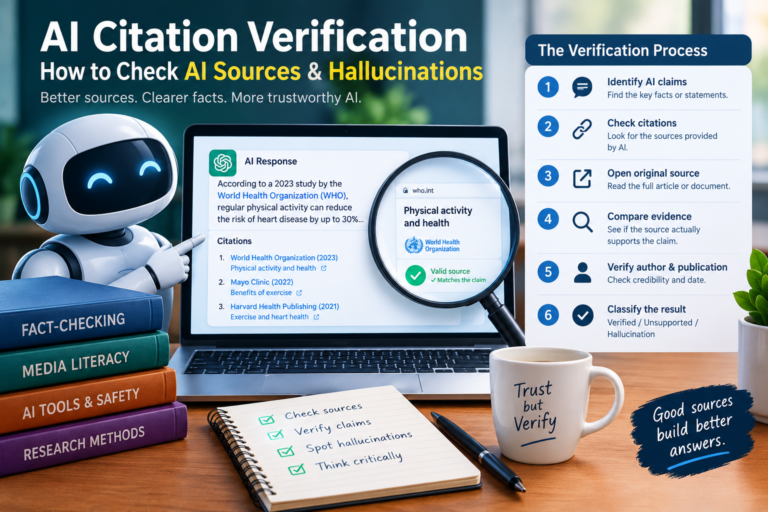
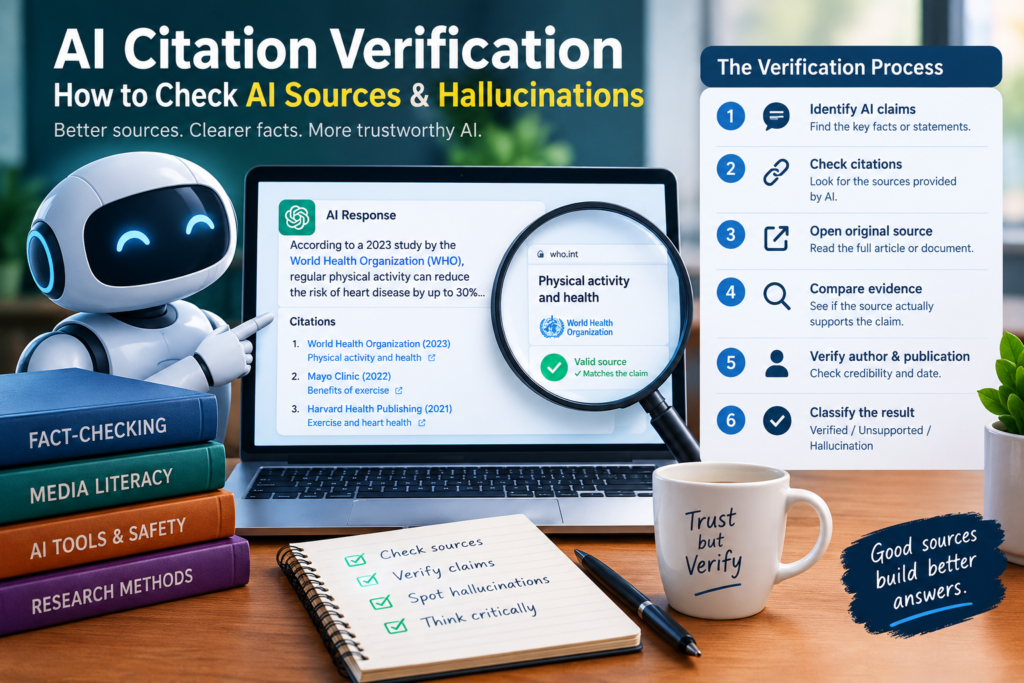
When you aren’t sure whether something is AI-generated, use this five-step process.
1. Examine the Content
Look for visual, audio, or linguistic inconsistencies.
2. Find the Original
Try to locate the earliest source available.
Don’t rely solely on reposts or screenshots.
3. Check Provenance
Look for available metadata, Content Credentials, publication history, or other evidence showing where the content came from.
4. Use a Detection Tool
If appropriate, run a reputable detector.
Treat the result as supporting evidence.
5. Verify the Claim Independently
Look for another reliable source that confirms or contradicts what you’re seeing.
If the evidence remains unclear, the correct conclusion is not “real” or “fake.”
It’s:
Unverified.
That is a perfectly legitimate conclusion.
What If AI-Generated Content Looks Completely Real?
This is where verification becomes more important than detection.
As generation systems improve, the question isn’t always:
“Can I see the AI mistake?”
Sometimes the better question is:
“Can I establish where this came from?”
A perfectly realistic image with no known source should still be treated cautiously if it is being used as evidence for an important claim.
Likewise, a video that looks authentic doesn’t automatically establish that the event happened as described.
The surrounding evidence matters.
What To Do If You Can’t Tell Whether Something Is AI-Generated
Don’t guess.
If the content could influence a financial decision, public accusation, legal claim, safety decision, or major news story, pause before acting.
You can:
- Search for the original source.
- Compare independent reports.
- Contact the supposed sender through a trusted channel.
- Search distinctive phrases from the post.
- Reverse-search images.
- Check the date and location.
- Examine available provenance information.
- Preserve the original file if it may become evidence.
- Record what you know and what remains uncertain.
If you still cannot establish authenticity, describe it as unverified rather than presenting your assumption as fact.
That distinction is especially important in investigative and journalistic work.
Glossary
Deepfake
Synthetic or manipulated media that convincingly depicts a person, event, or statement that may not be genuine.
Synthetic Media
The broader category covering AI-generated or AI-manipulated images, video, audio, and other digital content.
C2PA
An open technical standard designed to provide information about digital content’s provenance and editing history.
Content Credentials
Provenance information associated with supported digital content that can help show how the content was created or modified.
EXIF Data
Metadata commonly associated with image files. It can include information such as camera model, capture date, and sometimes location.
False Positive
A situation where a detection system incorrectly identifies genuine content as AI-generated.
False Negative
A situation where AI-generated or manipulated content is incorrectly classified as authentic.
Provenance
Information showing where content came from and, depending on the system, how it was created or modified.
Reverse Image Search
A search method that uses an image or part of an image to locate visually similar or previously published versions online.
Frequently Asked Questions
Can AI image or text detectors be trusted on their own?
No. A detector can be useful as one signal, but it should not be treated as conclusive evidence.
Combine detector results with source investigation, provenance, visual or linguistic analysis, and independent verification.
Is counting fingers still a reliable way to spot AI images?
No. It is only a weak clue now.
Modern image-generation systems are much better at producing hands, although complicated poses can still produce unusual anatomy.
Does missing EXIF metadata mean an image is fake?
No.
Real photographs can lose metadata when they are uploaded, compressed, edited, screenshotted, or shared through social platforms.
Can a fake image have HTTPS or come from a legitimate website?
Yes.
Likewise, a website using HTTPS isn’t automatically trustworthy.
Technical security features and authenticity are different questions.
Are non-native English writers more likely to be falsely flagged by AI detectors?
Some research has found substantially higher false-positive rates for certain groups of non-native English writers.
This is one reason detector scores should not be used alone to make serious decisions about authorship.
What’s the best free way to investigate a suspicious image?
Start by trying a reverse image search and locating the earliest credible source.
Then compare the image with independent reporting and examine the image itself for inconsistencies.
How much audio is needed to clone someone’s voice?
The amount varies considerably depending on the technology and the quality of the source recording.
Some systems can generate a recognizable imitation from a short sample, while producing a highly convincing clone may require cleaner and longer recordings.
There is no single amount of audio that applies to every voice-cloning system.
Should I trust someone just because they appear on a video call?
Not automatically.
For routine conversations, a video call may be perfectly legitimate. But if the person is making an urgent financial, security, or credential-related request, verify the request through another trusted channel.
What should I do when I can’t determine whether something is AI-generated?
Treat it as unverified.
Don’t share it as established fact, don’t make a high-stakes decision based on it, and don’t accuse someone of creating it without stronger evidence.
The Bottom Line
AI-generated content isn’t becoming easier to identify by using the same tricks people relied on several years ago.
Counting fingers isn’t enough.
Looking for smooth skin isn’t enough.
Checking whether EXIF metadata exists isn’t enough.
And an AI detector certainly isn’t enough on its own.
The stronger approach is layered verification.
Examine the content.
Find its source.
Check its provenance.
Use detection tools when appropriate.
Compare independent evidence.
Then make your conclusion based on the whole picture.
Sometimes the answer will be clearly authentic.
Sometimes you’ll find strong evidence that something was generated or manipulated.
And sometimes you won’t be able to tell.
In those cases, “unverified” is better than guessing.
That mindset is one of the most useful skills you can develop in an internet where realistic images, voices, videos, and text can all be manufactured on demand.
Learn how to spot AI-generated images, video, audio, and text in 2026. Discover real warning signs, detection tools, and verification methods.